
Due to DEA requirements, sending electronic prescriptions for controlled substances (EPCS) requires certain security considerations.
Before beginning, your clinic will have to have signed the EPCS Subscription Agreement with MDLand:
- Go to Settings > Advanced > My Account
- Scroll down to EPCS Subscription under Provider Subscription Agreement and click "Get Started".
- Review and sign the agreement.
- After your payment is processed, we will send you enrollment and 2-factor authentication information.
After that, you can start the process of enabling EPCS delivery by getting another employee (on a different account) to act as a witness:
- Have the other employee go to Settings > ePrescription > Prescriber, and locate the prescriber and click "No" under EPCS.
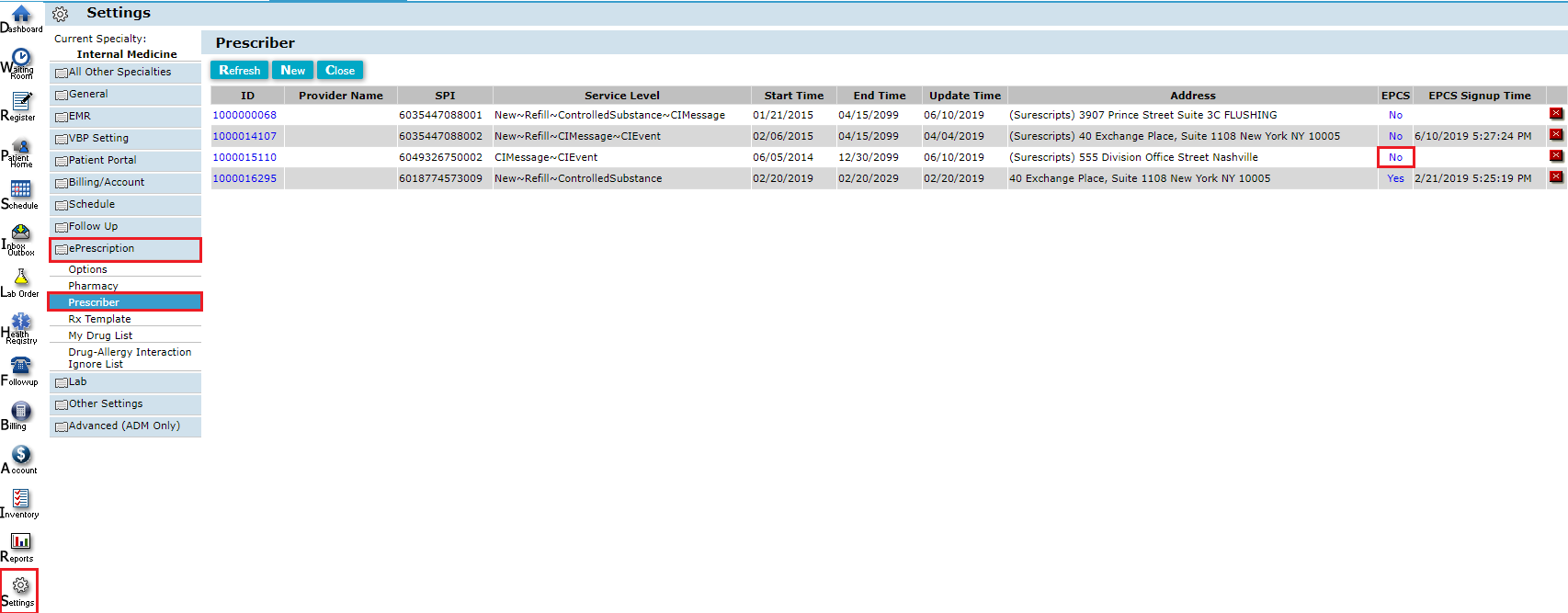
- Click to sign as a witness.

The rest of the process can be done by yourself:
- Find and click on the employee you want to make a prescriber in Settings > General > Employee. Confirm/update the OTP info (DUO info is prepopulated and unchangeable).
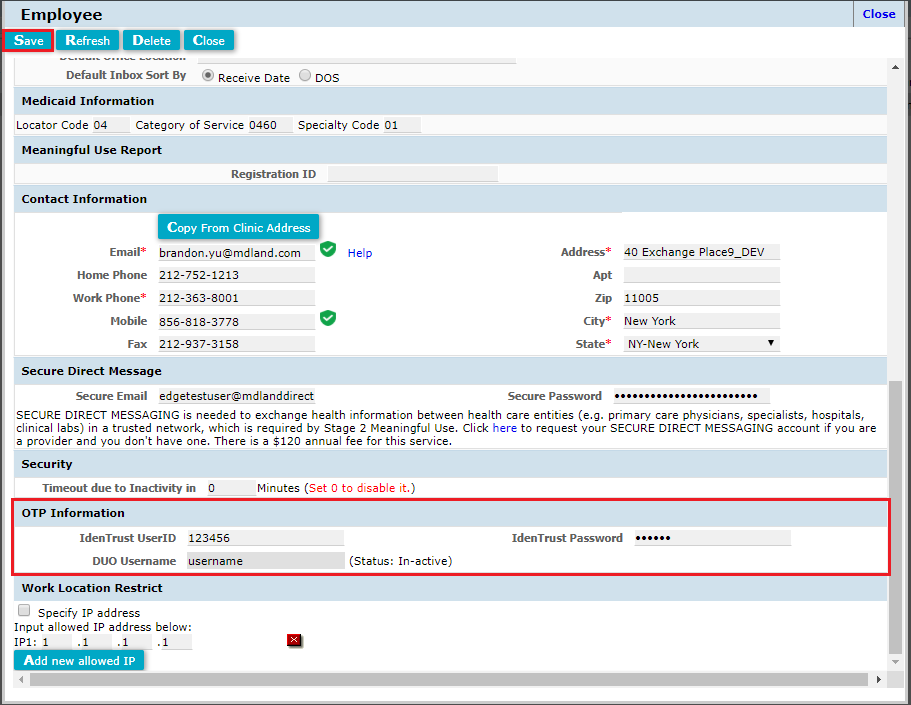
- Return to Settings > ePrescription > Prescriber, click "No" under EPCS, and enter your OTP code from either DUO or IdenTrust.
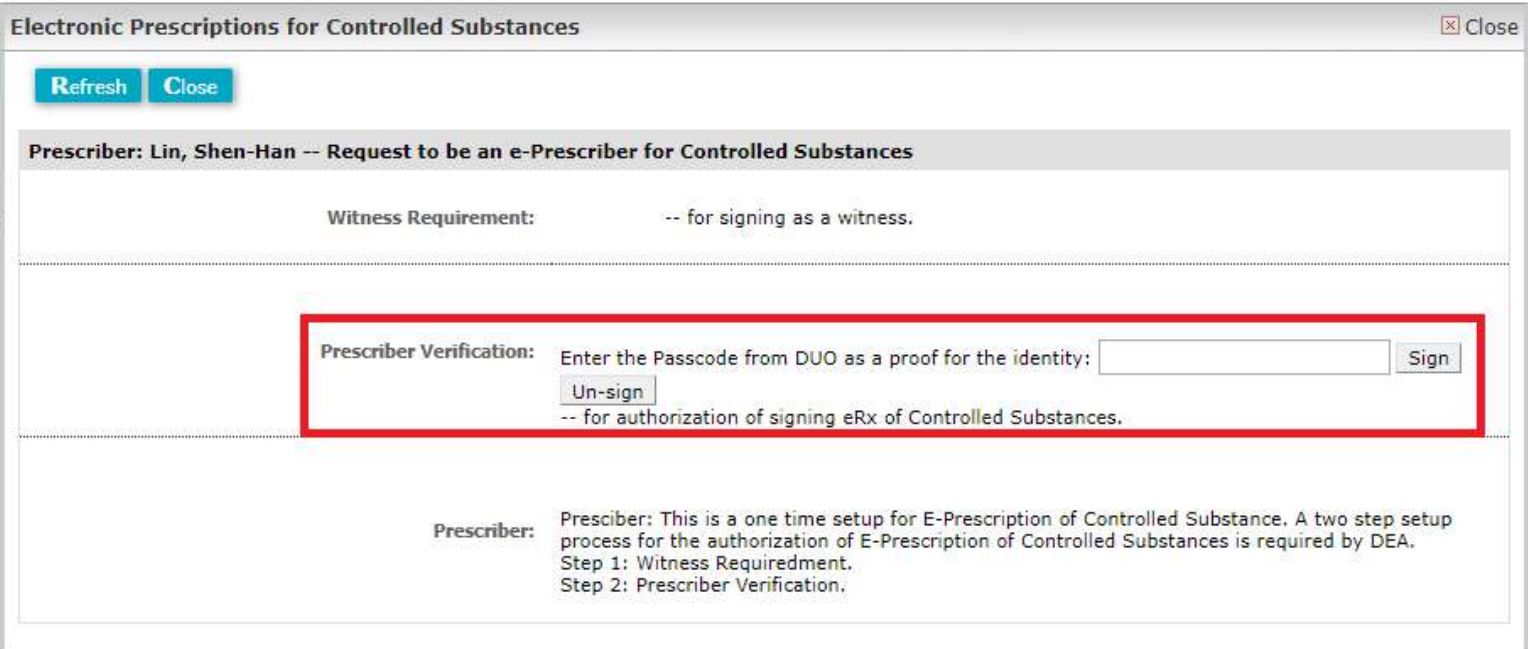
If successful, the "No" under EPCS should change to "Yes"
If this doesn't happen, your authentication information (username, password, and/or passcode) may be incorrect.
Your IdenTrust token may get locked if you are unsuccessful after 5-7 attempts. If that happens, you'll have to contact IdenTrust and ask them to reset your token and provide your username and password.
Comments
0 comments
Please sign in to leave a comment.