
To set up a new provider with ePrescription:
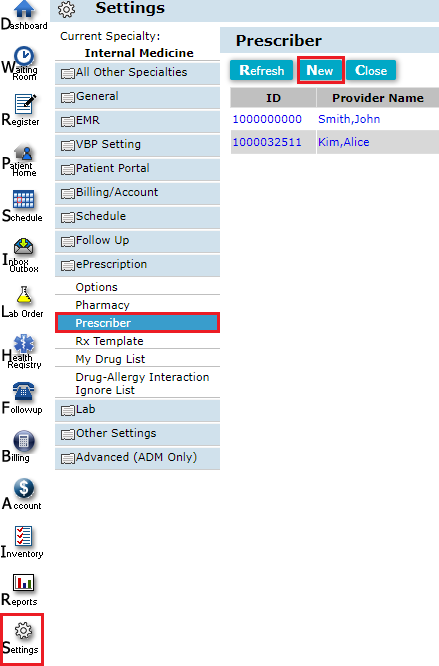
- Go to Settings > ePrescription > Prescriber and click New.
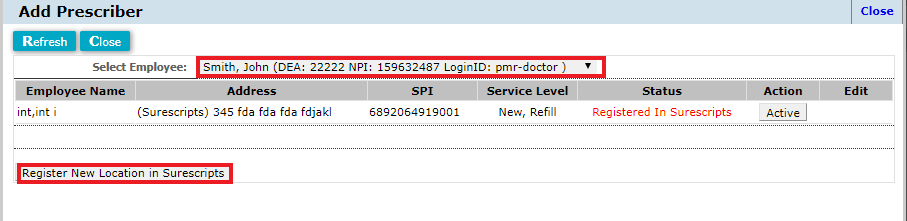
- Select employee you want to add as prescriber and click "Register New Location in Surescripts".
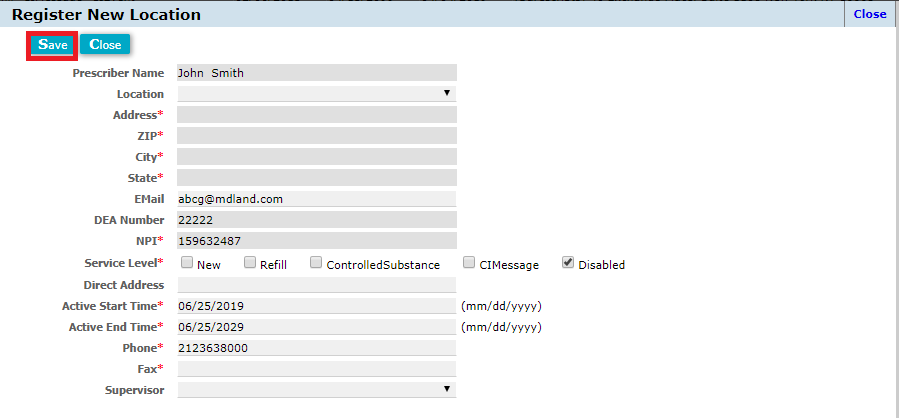
- Fill in the required information and click save.
 .
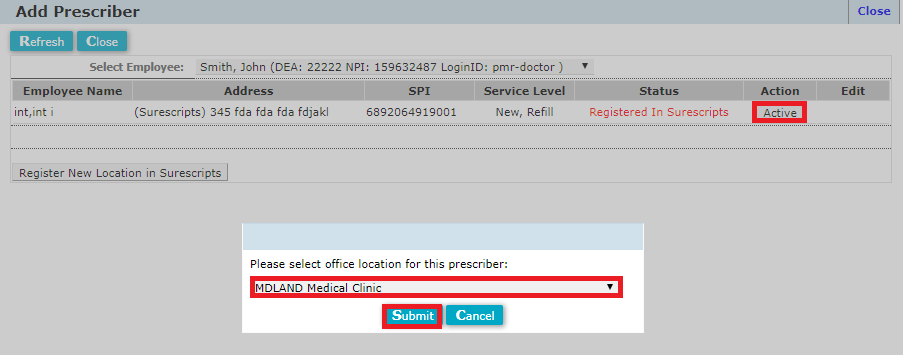
. - Activate the prescriber's location(s) in iClinic by clicking "Active" and selecting an office location.
Comments
0 comments
Please sign in to leave a comment.