
To bill a secondary insurance, first open the account from Account.
Then:
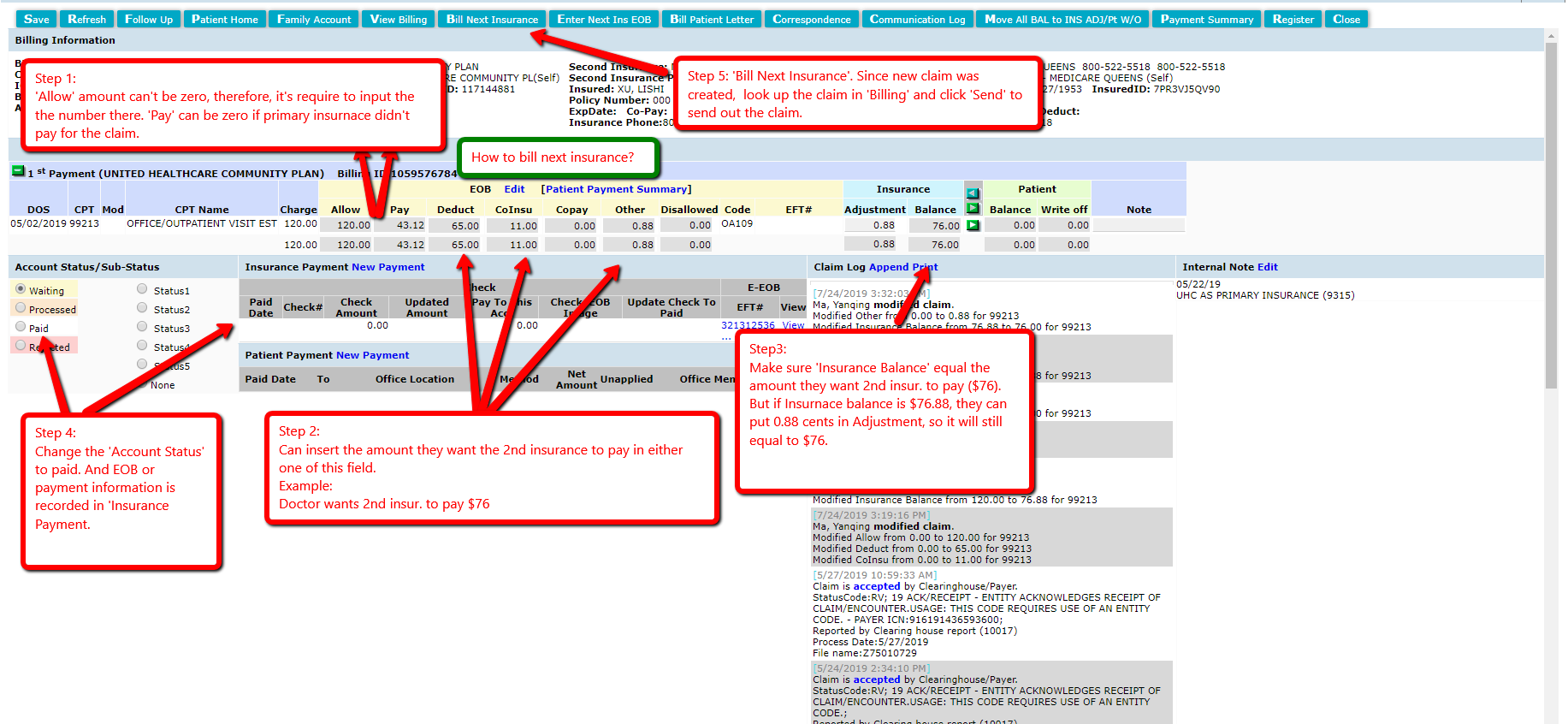
- Confirm that the "Allow" amount is greater than 0 on the EOB.
- Confirm that "Deduct", "CoInsu", and "Other" adds up to the balance you want the secondary insurance to pay.
- Confirm the balance shown in the Insurance balance column. If you want to change the balance, enter in the adjustment in the "adjustment" column.
- Make sure the insurance payment is recorded, change the account status to paid (if not paid already), and click "Save".
- Click "Bill Next Insurance". A new claim will be created in "Billing" which can now be sent.
If the primary insurance automatically forwards information to the secondary insurance, instead, you can click "Enter Next Ins EOB" when you receive the secondary payment, and post the payment to the new entry in the Account section that is created.
Comments
0 comments
Please sign in to leave a comment.